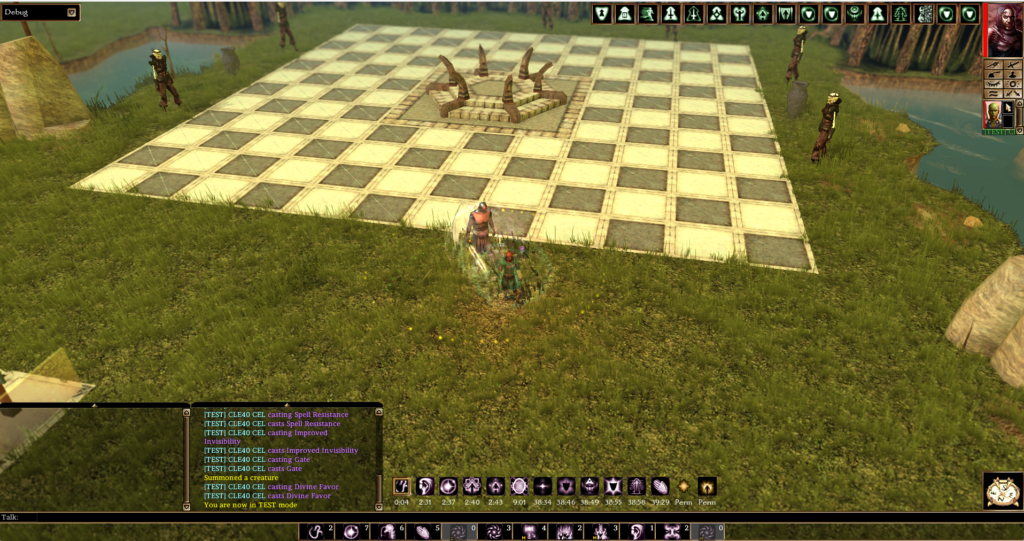
The default character sheet has been replaced with a fully custom window that shows far more useful information in a cleaner layout.
- Siz tabs: Character, Skills, Feats, active Effects from Spells and Abilities, active Immunities, active Damage Reductions.
- The Character tab shows your portrait, all three class slots with icons and levels, all six ability scores with modifiers highlighted in green or red, saving throws, and a detailed attack breakdown for your main-hand and off-hand weapons.
- The attack breakdown includes your full damage dice, all modifiers, critical threat range and multiplier, and any bonus damage from effects or feats, all formatted into a readable multi-line breakdown.
- Two-Weapon Fighting penalties are shown correctly in the off-hand column.
- Haste and Slow effects are reflected in your listed attacks per round.
- The XP section adapts dynamically: a progress bar during normal leveling, a “BEGIN LEVEL UP!” button when you are ready to level, and a simple label when you have reached the level cap.
- The sheet auto-refreshes automatically to catch any new or expiring buff, equipment change, etc.
- The window remembers where you left it on screen and reopens there (only the window about that specific character, not for your associates).
- If you ever want to compare with the original vanilla sheet, type -chars in chat to open the base game version side by side.
- Or enable to permanently restore the original character sheet if you prefer the classic look (and classic bugs), from your Player Menu.


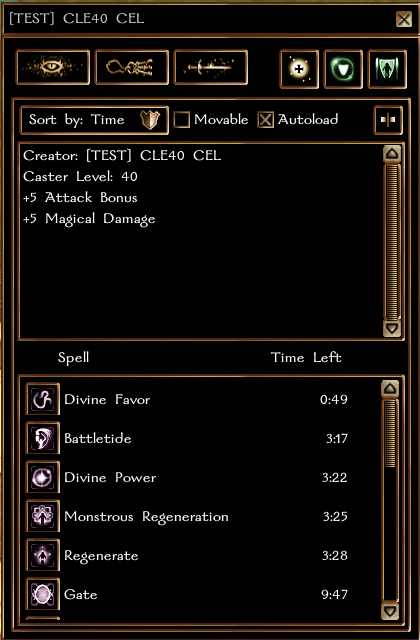


Export Active Effects Window #
On the active Effects from Spells and Abilities tab you can press the “Export effects window” to generate a new UI containing only the effects icons with their cooldown. This window remains open even after the Character Sheet is closed, and can be positioned anywhere on your screen.
To move the Effects window: open the Character Sheet, click the Movable checkbox, drag the window to your preferred position, then click the checkbox again to save it.
The position is stored per character and per device type, if you play the same character from a Windows PC and from Android, two separate positions will be saved in the database.
You can also set the Active Effects window to open automatically whenever that character logs in by enabling the Autoload checkbox.
The Active Effects window displays all active effects from left to right, ordered from the soonest to expire to the last, including permanent effects. When an effect has 60 seconds or less remaining, its icon will begin to flash.